
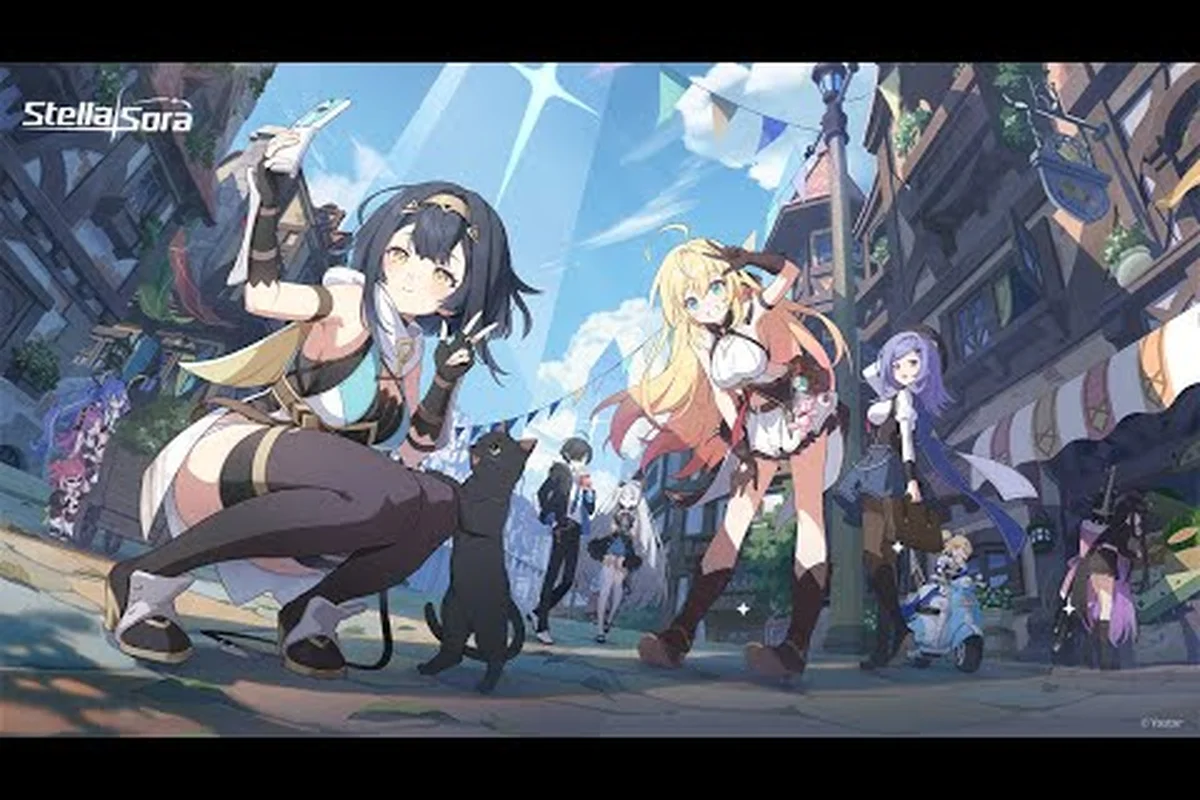
The Stella Sora Steam account link process is the first thing every new Tyrant needs to nail down, because the Steam build that shipped on 2026-10-19 alongside Version 2.0 / 1st Anniversary added a fifth login method on top of email, Google, and Apple. Done right, your single account carries your squad, Monolith progress, and wallet across PC, mobile, and Steam without retuning a single Potential. Done wrong, you end up on a fresh server, lose cross-save, and have to rebuild your Tyrant's Tower Beta climb from scratch — so this guide walks through binding, controller mapping, and a sensible F2P ramp using only data the official channels have published.
Binding Your Stella Sora Steam Account Link the Right Way
The binding flow lives entirely inside the game client. Open the main menu, tap the Menu icon in the top-right corner, then follow the chain Settings → Account → User Center → Bind Other Accounts. From there the game lists every supported identity provider and lets you attach as many as you want, with Steam added on top of email, Google, and Apple once the Steam build went live on 2026-10-19.
What Cross-Platform Sync Actually Covers
According to the official Steam FAQ, Steam supports cross-platform account data synchronization only when the account is bound to email, Google, Apple, or Steam. That single sentence defines the entire feature: if you have at least one of those four bindings attached, the same login carries your data between mobile, PC client, and Steam. The sync covers Monolith Exploration progress, Authorization Level, your owned Trekker roster, Note Assignment state, and any currencies the official sources name — Stellanite Dust, Dorra, Stella Coins, Vintage Reserve, Resonant Chorus, and the rest of the published list.
What it does not cover is region. JP, KR, CN, and TW accounts cannot sign in to the Steam Global build, so the binding flow is a no-op for players who created their account on those regional servers. The site you're reading covers the Global (Steam) build only, so every step below assumes a Global account.
| Binding Step | Menu Path | Prerequisite | Result |
|---|---|---|---|
| Open User Center | Menu → Settings → Account → User Center | Logged in to at least one provider | Shows current bindings and "Bind Other Accounts" button |
| Bind Steam | Tap Steam logo, confirm in Steam overlay | Steam client running and logged in | Adds Steam as a third-party login |
| Bind Google | Tap Google logo, complete Google OAuth | Google account accessible on device | Adds Google as a third-party login |
| Bind Apple | Tap Apple logo, complete Apple ID prompt | Apple ID with two-factor on | Adds Apple as a third-party login |
| Bind Email | Tap email, verify inbox code | Working email address | Adds email as a recoverable login |
Server Lock and Region Boundaries
The server lock is the single most common cause of "I linked Steam but my save is gone" tickets, so it deserves its own callout. The Global Steam build only accepts Global accounts; JP, KR, CN, and TW accounts are walled off by design. If you originally downloaded the mobile build from a regional store, double-check that you created your account on the Global server before binding Steam — once a server is chosen at first login, the official sources state the account cannot be migrated to a different regional build.
Payment also follows the binding choice: Steam purchases go through Steam Wallet only, and item prices match the other platforms. That means a top-up on mobile and a top-up on Steam produce the same Cerulean Ticket / Sprout Ticket denominations, so wallet value transfers cleanly across the link. If you want a deeper walkthrough of wallet mechanics, the Steam wallet and top-up walkthrough covers server status, launchers, and how Dorra and Stellanite Dust move between clients.
Stella Sora Control Settings and Controller Support
The Steam build's controller layer is the second-most-asked question on community threads, because the game launched on mobile first and many PC players are coming in with a pad already in their hand. The good news: the official store page lists full gamepad support, and the in-game control settings expose a remap layer on top of that.
Built-In Control Layouts
When you first launch the Steam build, the game defaults to keyboard-and-mouse. To switch to gamepad, plug in a controller before launching (or plug it in mid-session and the game will hot-swap within a few seconds), then open Menu → Settings → Control. You'll see three official layouts — Default Gamepad, Vanguard Focus, and Versatile Focus — which already differ in how the right trigger maps to your Main Skill versus your Support Skill.
| Layout | Left Stick | Face Buttons | Triggers | Best For |
|---|---|---|---|---|
| Default Gamepad | Move | Jump / Dodge / Interact / Ultimate | Main Skill (RT), Support Skill (LT) | New Tyrants learning the three-Trekker rhythm |
| Vanguard Focus | Move | Same as Default | RT = empowered Main, LT = taunt | Players running a Vanguard-frontline squad |
| Versatile Focus | Move | Same as Default | RT = Main, LT = Quick Switch | Players rotating between three Versatile Trekkers |
| Custom (Remap) | User-defined | User-defined | User-defined | Players porting muscle memory from another action RPG |
The Vanguard and Versatile presets exist because the official role split is only two labels — Vanguard and Versatile — and the control team wanted to mirror that split at the input layer. If you're still figuring out which role your roster leans toward, the Versatile build primer walks through the Main Skill, Support Skill, and Auto Attack rhythm that the Versatile Focus preset is tuned for.
Steam Deck and Big-Picture Notes
Community testing on the Steam Deck branch reports the game boots cleanly through Steam Big Picture at 40–60 FPS on the LCD model, with the default gamepad layout reading every input without a Steam Input community profile. The official sources have not published Deck Verified or Deck Playable status as of 2026-10-21, so treat that as a player report rather than a Valve certification. The same applies to the Steam Deck support question in the broader system-requirements thread; the system requirements and supported languages overview is the place to track that status, and it also lists the in-app purchase policy that affects Deck users.
If you want to rebind a single action without picking one of the three presets, the Custom layout supports per-button remap and sticks the new binding to your account (not the device), so the layout travels with your cross-save the next time you sign in from a different PC.
Stella Sora F2P Progression Guide for New Tyrants
The third pillar of this guide is the F2P ramp, because the Steam launch dropped on 2026-10-19 alongside the Version 2.0 / 1st Anniversary update and pulled in a wave of brand-new Tyrants who haven't seen a single Monolith room yet. The official sources have never published gacha rates, drop rates, damage multipliers, or a level cap, so every number below is either a published mechanic name or a "the official sources have not published this" caveat. Treat the framework as the value, not the precision.
Authorization Level and the Daily Loop
Your Authorization Level is the single most important number to chase early, because it gates almost every other system. The official sources name the thresholds as 2, 3, 4, 5, 8, 10, 11, 12, 15, 21, and 32, and each one unlocks new Monolith floors, new modes, and new shop tabs. Within an Authorization Level, the named systems you should be aware of are Vigor (the stamina-like resource that gates Monolith runs), Daily Affairs (the daily checklist that hands out Vintage Reserve, Resonant Chorus, and Defender's Medal), and Heartlink (the relationship track with each Trekker).
| System | What It Gives You | F2P Cadence | Why It Matters Early |
|---|---|---|---|
| Authorization Level | Unlocks new content and shop tabs | Push to 21 within the first month | Gates Note Adjustment, Emblem Tempering, and Monolith Shop |
| Vigor | Energy for Monolith runs | Regenerates over time; refillable with Dorra | Every Monolith clear is a Record / Disc / Note reward pipeline |
| Daily Affairs | Daily resource bundle | Once per day, server reset | Compounds into Vintage Reserve and Resonant Chorus over a month |
| Heartlink | Bond XP with each Trekker | Repeat Monolith rooms with the same Trekker | Feeds back into Core Potential and Emblem Tempering |
| Quick Battle | Skip-clear already-cleared nodes | Once per day per node | Repurposes old Monolith clears into repeat rewards |
The Record / Runic Disc / Note Adjustment Pipeline
Once you reach Authorization Level 21, Record Adjustment unlocks and the build-craft layer opens up. The official build system is built from a stack: Record (your account-wide profile), Runic Disc (the equippable discs, drawn from a published list that includes My Guiding Star, Eternal Brilliance, Bedtime Story, Wisteria Dream, and so on), Disc Skill and Harmony Skill (the on-disc skills), Musical Note and Elemental Note (the slotted notes, with unassigned Notes capped at 15 and a single Note tunable from 0 to 99), Potential and Core Potential (the passive layers, with unassigned Potentials capped at 5), and finally Emblem and Affix (the tempering layer that sits on top of everything).
The unassigned-caps matter for F2P planning: the official sources state unassigned Notes cap at 15 and unassigned Potentials cap at 5, which means you cannot stockpile infinitely between sessions — spend down your unassigned pool before the cap bites. Single-note tuning is published as 0 to 99, but the official sources have not published what value is "good enough" for any specific Monolith floor, so chasing round numbers is a community heuristic, not a published target.
Mode Priority for the First Two Weeks
The mode list is long and F2P time is short, so order matters. Below is a sensible priority queue based on what each mode hands out and how often it resets, with the caveat that the official sources have not published drop rates for any of them.
| Priority | Mode | Reset | Primary Reward | F2P Value |
|---|---|---|---|---|
| 1 | Monolith Exploration | Vigor-gated | Stellanite Dust, Dorra, Notes | Highest per-Vigor value; core progression path |
| 2 | Daily Affairs | Daily | Vintage Reserve, Resonant Chorus, Defender's Medal | Compounds into Note Adjustment and Emblem Tempering |
| 3 | Tyrant's Tower Beta | Weekly | Star Emblem Polisher, Antique Bronze Coin | Tower climb is the only named source of Star Emblem Polisher |
| 4 | Menace Arena | Weekly | Flower Sticker, Defender's Medal | Score-based; rewards consistency over raw power |
| 5 | Boss Blitz | Event window | Drop of Purity, Gold Disc | Check the in-game notice for the current window |
| 6 | Proving Grounds / Summit Show | Rotating | Mode-specific resources | Filler when the top four are capped for the day |
| 7 | Chess Defense / Speed & Wheels | Rotating | Mode-specific resources | Variety content; lower F2P priority unless you enjoy them |
The Tyrant's Tower Beta line is worth flagging because the Tyrant's Tower and Ascension walkthrough covers how to unlock the mode, how the Star Emblem Polisher feeds into Emblem Tempering, and how Ascension fits between Tower floors. Together with the table above it gives you a clean two-week plan: push Monolith for Vigor, bank Daily Affairs every reset, and spend the Tower climb as your weekly checkpoint.
Team Building Without Spending
The roster at launch is published on the official site as 29 character profiles, plus additional named Trekkers such as Tilia, Ridge, Angie, Bastelina, Rovina, Opera Ghost, Lilibea, Vita, and Flora. The official rarity bands are only ★5 and ★4, and the official roles are only Vanguard and Versatile — there is no SSR, UR, or ★6 tier, and no Tank / DPS / Healer / Support label, because the official sources have never used those terms for this game. The limited-banner guarantee is the one published recruitment number: a ★5 is granted within the first 120 recruitments, which gives F2P players a hard floor to plan around.
The six elements are Aqua, Ignis, Terra, Ventus, Lux, and Umbra, and the official sources describe same-element team building rather than a cross-element reaction table. That means a same-element trio will not trigger a named reaction; instead, the published design is that the squad's Enemy Vulnerability (which is published per activity for two elements at a time) is what you should chase. If you're still building your first squad, the team-building and healing primer covers the single-target DPS / AoE / crowd-control / healing split using only the official role labels and the published roster.
| Roster Slot | F2P Target | Why |
|---|---|---|
| Slot 1 (Frontline) | ★4 or ★5 Vanguard | Tankiest front-line role; takes the opening aggro |
| Slot 2 (Versatile) | Same-element as Slot 1, or as Slot 3 | Pairs for the activity's published Enemy Vulnerability |
| Slot 3 (Versatile) | Same-element as Slot 2 | Closes the same-element trio for the published bonus |
The 120-recruitment guarantee is the only recruitment number the official sources have published, so do not chase pity-counter math from other gacha games. Plan for the guarantee to fire within 120 pulls, bank the resulting ★5 into the role that fills your weakest slot, and resume the same loop on the next banner.
Common Pitfalls When Setting Up the Steam Build
Most setup pain comes from three repeating mistakes, and every one of them is avoidable if you know the failure mode in advance.
The first pitfall is binding Steam on a regional account. The server lock is a hard wall, and the official sources state JP, KR, CN, and TW accounts cannot sign in to the Steam Global build. If you boot the Steam client and see a "server not available" message, that is the lock firing — there is no in-game fix, and creating a second account will not merge data, so the only recovery is to start over on the Global server.
The second pitfall is trusting unverified redeem code lists. As of 2026-10-21, no publicly verifiable code string exists for this game; the redeem system itself is real (the official /gift page plus the in-game Menu → Redeem Code entry both exist), but the codes are only distributed through time-limited events and streams, never through third-party code-list sites. Any "Stella Sora codes" page that names a code string is either out of date or fabricated.
The third pitfall is treating Note Adjustment as a storage system. The official sources cap unassigned Notes at 15 and a single Note at 0 to 99; chasing a stockpile past 15 is wasted Vigor, because the cap will silently block new drops. Spend down the unassigned pool into a single Note as soon as you cross the threshold, and treat the unassigned bank as a rolling buffer rather than a long-term store.
Putting It All Together: A 30-Minute First Session
Here is a clean walkthrough of what your first 30 minutes on the Steam build should look like, end to end. None of the steps require spending, and every step ties back to a system the official sources have named.
-
Launch the Steam build, pick the Global server, and create the account with email. Email is the most recoverable binding because it works without a third-party OAuth prompt.
-
Open Menu → Settings → Account → User Center → Bind Other Accounts, and attach Steam, Google, and Apple in that order. Three bindings means three recovery paths if one provider ever drops you.
-
Open Menu → Settings → Control and switch to Vanguard Focus or Versatile Focus depending on the squad you're planning to build. The custom remap layer can wait until day three.
-
Clear the Daily Affairs checklist to bank the first slice of Vintage Reserve and Resonant Chorus.
-
Spend the first Vigor bar on a Monolith Exploration room that matches the activity's published Enemy Vulnerability, then cash the rewards into the Note Adjustment system before the unassigned cap of 15 fires.
-
Push the first Tyrant's Tower Beta floor so the Star Emblem Polisher pipeline starts ticking; the tower is the only named source of that material, so the first floor is non-negotiable.
-
Repeat the Monolith → Daily → Tower loop daily, and bank every ★5 from the 120-recruitment guarantee into the role that fills your weakest squad slot.
That loop is the entire F2P ramp for the first month: bind once, control once, run the same three systems on repeat, and let Authorization Level, Note Adjustment, and the Tower climb compound. The official sources have not published a damage multiplier or a level cap, so resist the urge to optimize against numbers that don't exist; instead, optimize against the named systems and let the published threshold list — Authorization Level 2, 3, 4, 5, 8, 10, 11, 12, 15, 21, 32 — be your milestone markers.
Frequently Asked Questions
Where is the Stella Sora Steam account link option in the menu?
Open the main menu, tap the Menu icon in the top-right, then follow Settings → Account → User Center → Bind Other Accounts. Steam is listed alongside email, Google, and Apple; tap the Steam logo and confirm the prompt in the Steam overlay to finish the binding.
Does Stella Sora support controllers on Steam?
Yes, the Steam build exposes a full gamepad layer with three official layouts — Default Gamepad, Vanguard Focus, and Versatile Focus — plus a custom remap. Plug the controller in before launch, then switch layouts under Menu → Settings → Control. Community testing also reports the game boots cleanly on Steam Deck, though the official sources have not published Deck Verified status as of 2026-10-21.
Can a JP, KR, CN, or TW account link to the Steam Global build?
No, the official sources state that JP, KR, CN, and TW accounts cannot sign in to the Steam Global build. The server is chosen at first login and is not migratable, so a JP-account player who wants to use Steam will need to start a new account on the Global server.
What is the F2P progression path for a brand-new Tyrant?
The published framework is to chase Authorization Level (thresholds named at 2, 3, 4, 5, 8, 10, 11, 12, 15, 21, 32) by spending Vigor on Monolith Exploration, bank the daily Daily Affairs bundle for Vintage Reserve and Resonant Chorus, and climb Tyrant's Tower Beta for Star Emblem Polisher. The only published recruitment guarantee is a ★5 within the first 120 recruitments, so bank that ★5 into your weakest squad slot.
Are there any Stella Sora redeem codes right now?
As of 2026-10-21, no publicly verifiable code string exists. The redemption system itself is real — the official /gift page and the in-game Menu → Redeem Code entry both work — but codes are only distributed through time-limited events and streams, not through third-party code-list sites. Any page claiming a working code list is either out of date or fabricated.